ReplayLab – Full feature set
Desktop app that runs on your PC. Unlimited replays, deep match analysis, 3D viewer, built-in coach, and rank progression – all from your own replay folder.
Desktop app (runs on your PC)
- • Unlimited replays – Analyze as many replays as you want; everything runs on your machine, no website upload limits or caps.
- • Replay library – Point the app at your replay folder, then search and filter by mode, result, player, and date.
- • Export – Save data as CSV (Ballchasing-compatible), SQLite, Parquet, or HTML reports; plus actor-mappings CSV from Match Analysis.
- • Compare replays – Side-by-side or overlay comparison of multiple replays (when available).
Match Analysis
When you open a replay and go to Match Analysis, you get these tabs and data.
Match Overview
- Scoreboard – Per player: name, platform (Steam/Epic/PlayStation/Xbox/Switch), score, goals, assists, saves, shots.
- Team comparison – Per team: possession %, shots, saves, assists, demos, touches, avg boost/min, average boost.
- Possessions insight – Per player: possession time (seconds) and % of match; team possession %; bar charts.
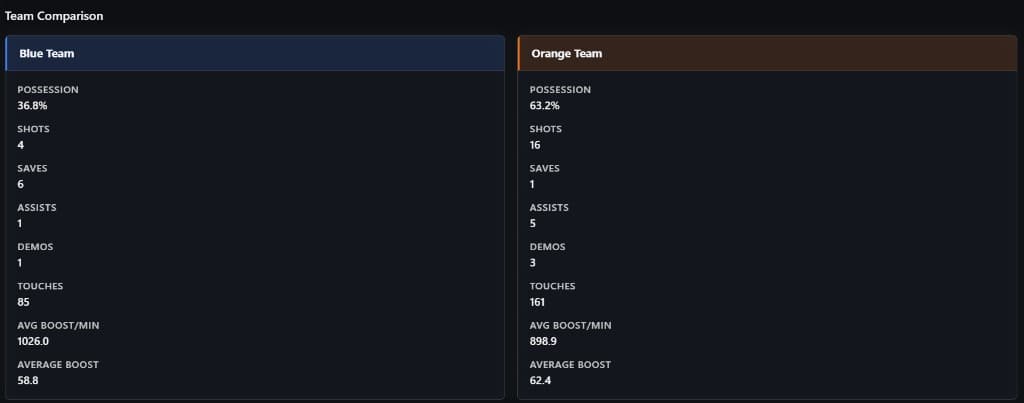
Team comparison: possession, shots, saves, assists, demos, touches, boost.

Possessions insight: team % and per-player time & bar charts.
Boost Management
- Team boost – Per team: avg BPM, avg boost, time at zero boost (s and %), time at 100 boost (s and %), total collected, big/small pads, overfill, boost used while supersonic.
- Per-player boost – BPM, avg boost, time at zero/full boost, efficiency %, wasted (overfill + supersonic), big/small pads count.
- Boost pickup heatmap – Select a player to see where they picked up boost on the field.
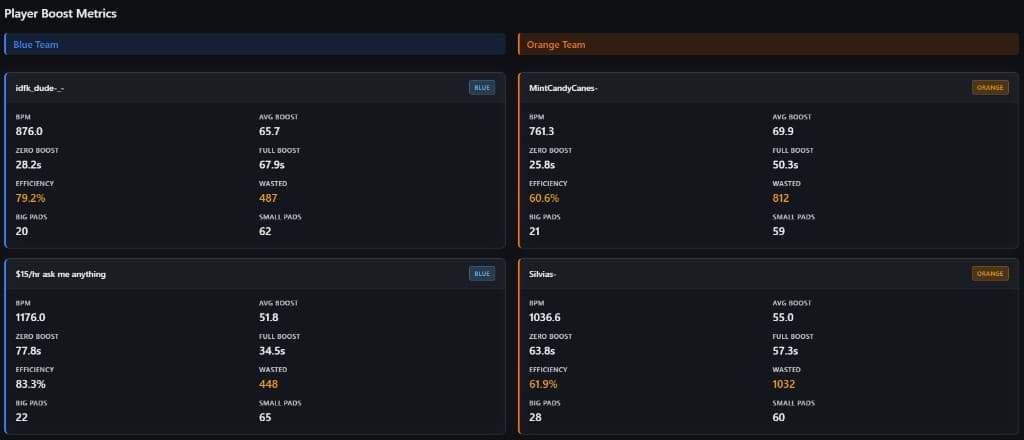
Per-player boost: BPM, avg boost, zero/full time, efficiency, wasted, big/small pads.
Positioning & Rotation
- Team positioning – % time in defensive / neutral / offensive thirds, time behind ball %, facing parallel %, facing perpendicular %.
- Per-player positioning – Defensive / neutral / offensive third %, avg distance to ball, avg distance to teammates, behind ball %, facing parallel/perpendicular %.
- Positioning heatmap – Select a player to see where they spent time on the field.
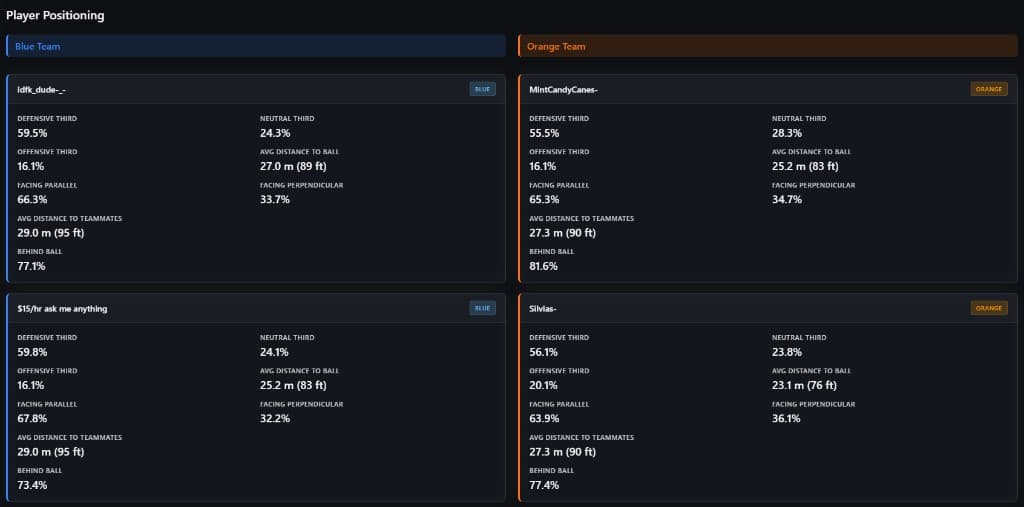
Per-player positioning: thirds %, distance to ball/teammates, behind ball %, facing.
Movement & Speed
- Team movement – Avg speed, % slow / boost / supersonic, % ground / air, recovery time (s).
- Per-player movement – Avg speed, % slow / boost / supersonic, % ground / air, recovery time; jumps, double jumps, dodges, powerslide count, wavedash count, half-flip count, flipped during 50/50.
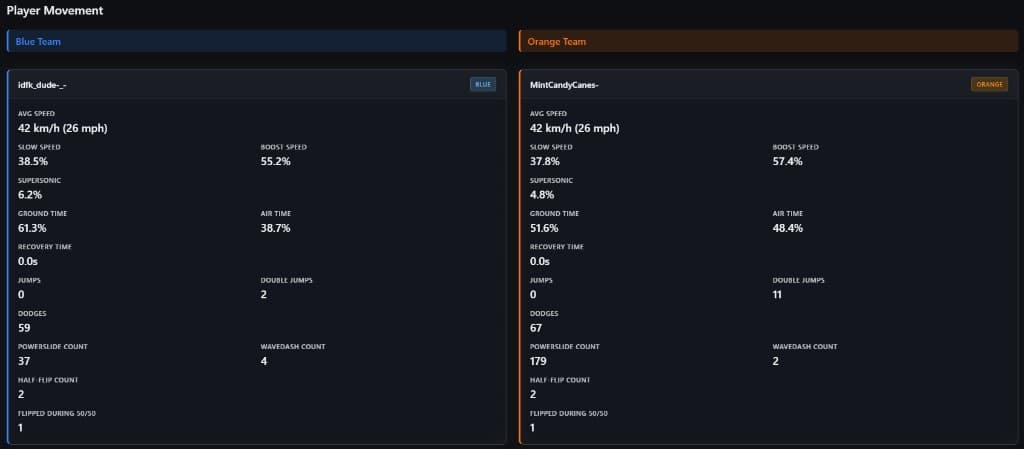
Per-player movement & mechanics: speed, ground/air %, jumps, dodges, powerslide, wavedash, half-flip.
Mechanics
- Per-player mechanics – Wavedash count, flip reset count, flick count, dribble time (s), half-flip count, aerial shot count, air dribble count (when available).
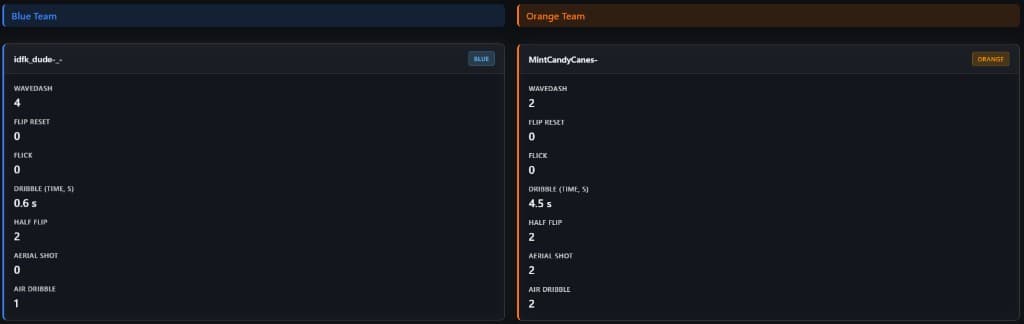
Per-player mechanics: wavedash, flip reset, flick, dribble time, half-flip, aerial shot, air dribble.
Shooting & Accuracy
Team shooting – Total shots, goals, shooting %, ball touches.
Per-player shooting – Shots, goals, shooting %, ball touches, avg shot speed; ground shots, aerial shots, redirects (when available).
Shot locations – Placeholder for shot-location heatmaps (coming when implemented).
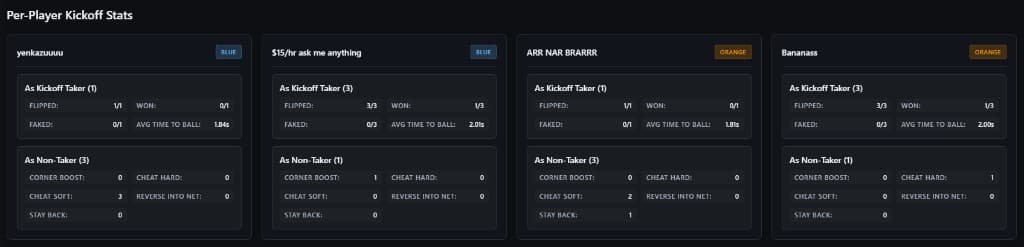
Per-player kickoffs: as taker (flipped, won, faked, avg time to ball); as non-taker (corner boost, cheat hard/soft, stay back).
Kickoffs
Team kickoff summary – Kickoffs won, first to ball, kickoff goals, total kickoffs (per team).
Camera – Per-player camera (from replay): Body ID, FOV, height, angle, distance, stiffness, swivel speed, transition speed, steering sensitivity, aerial sensitivity.
3D Viewer, Timeline & Coach
- Interactive 3D replay – Ball, cars, arena, playback controls, camera options (orbit / follow player / ball), score/clock/kickoff/boost overlays, movement labels (dodge, jump, wavedash, etc.), mistake filter by player, fullscreen, trail length and other viewer settings.
- Timeline & events – Scrub through the match; event markers (goals, saves, etc.) and mistake markers; filter by event type; click a marker to jump the 3D viewer to that time. Event list with goals, saves, and other events with times; click to jump to that moment.
- Coach dock – Built-in coach with scripted feedback at key moments (e.g. when a mistake is detected). Jump to moment, “Show me why,” “How to fix” from the coach bubble. Quiet / Coach / Talkative controls how often the coach appears.
- In-app coach – Mistake catalog (20+ named mistakes with fixed descriptions and fixes). Automatic detection flags when your stats match those patterns (vs match or rank baselines) and shows the matching predetermined message. Mistakes page – per-match or across all replays; filter by baseline (match vs rank).
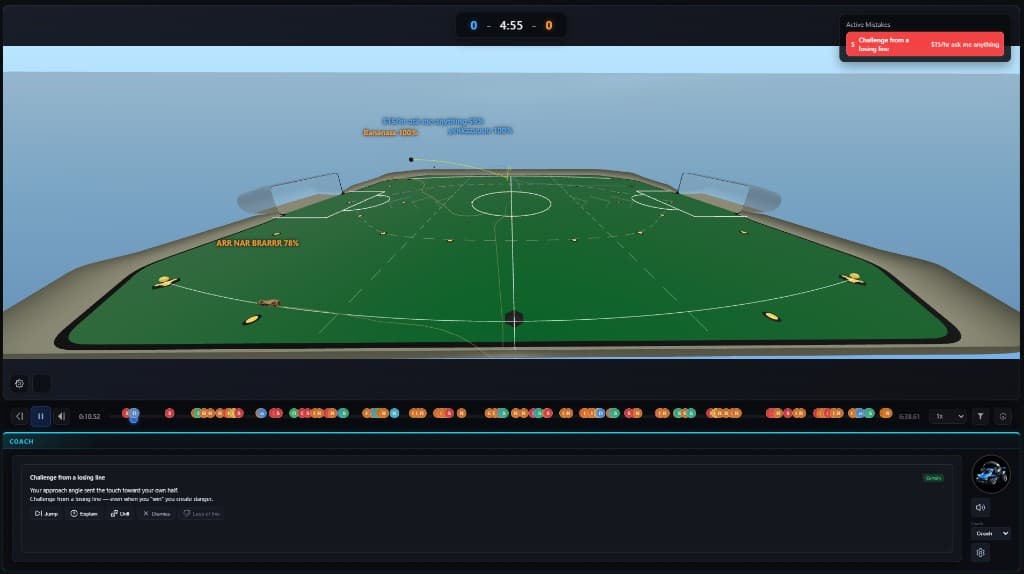
3D viewer with Active Mistakes panel and coach feedback; timeline with event markers.
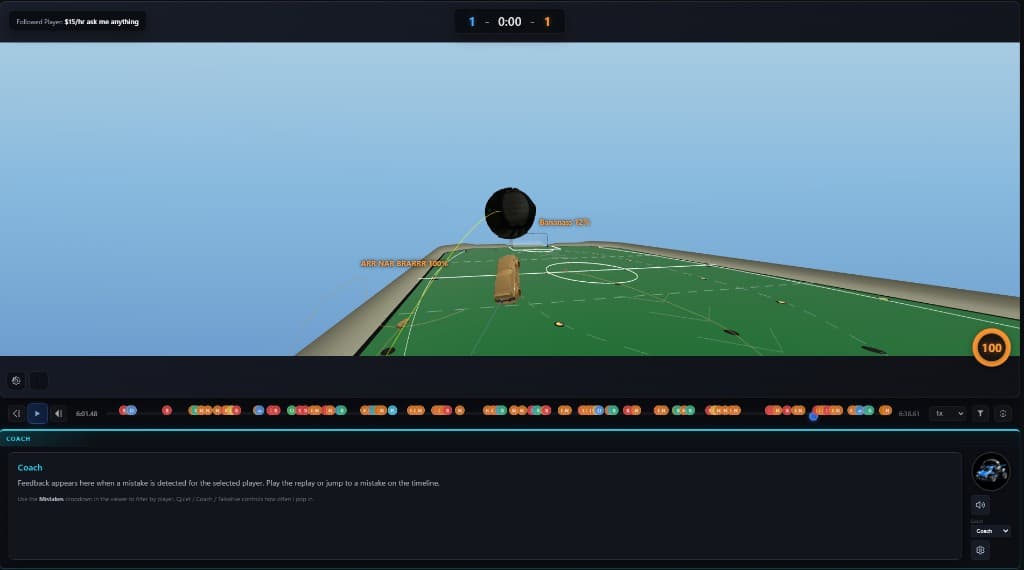
Timeline, playback controls, coach dock with Quiet/Coach/Talkative.
Rank and progression
- Dashboard – Current rank (1s, 2s, 3s), MMR trend, focus playlist.
- Projected rank – “X more wins to next division” (or next rank) over the next 10, 25, 50, or 100 games.
- Rank-up celebration – In-app notification when you rank up (e.g. when you return to the app).
- Where you stand – “You’re better than X% of players” for your rank and mode.
- Account linking – Epic or Steam for rank over time; optional BakkesMod MMR import.
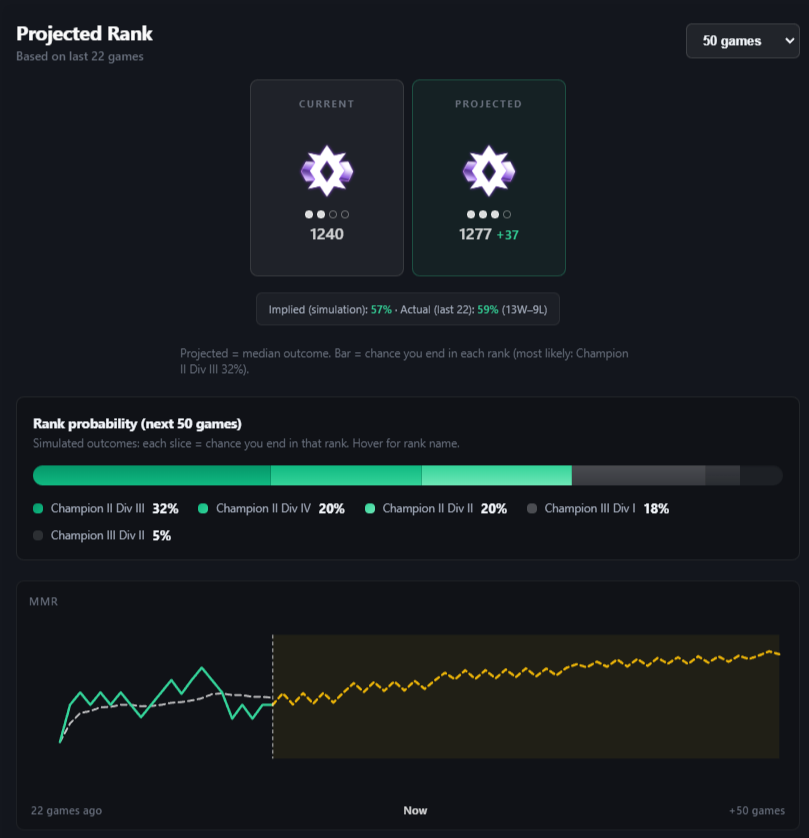
Projected rank: current vs projected MMR, rank probability bar (next 50 games), MMR trend graph.
Habits
Stats over time – Goals, shots, boost, positioning, speed, kickoffs, and more across your replays.
Trend charts – See improvement or slippage on the stats you care about.
Training
Curated training packs – Codes, focus area, difficulty, estimated time; some with video links.
Improvement tips – Tied to your stats and what to work on.
Progress and trends – Connects rank and habits.
Getting started and setup
Short setup – BakkesMod + “automatically save replays” for ranked; ReplayLab uses the same replay files.
In-app guidance – Getting Started walks you through setup and the main tabs.
Power user / advanced
Movement overlays in 3D viewer – Who dodged, jumped, etc., with labels for a few seconds.
Export actor mappings CSV – From Match Analysis for your own analysis.
Ready to try ReplayLab?
Point the app at your replay folder and start analyzing. No upload limits – everything runs on your machine.